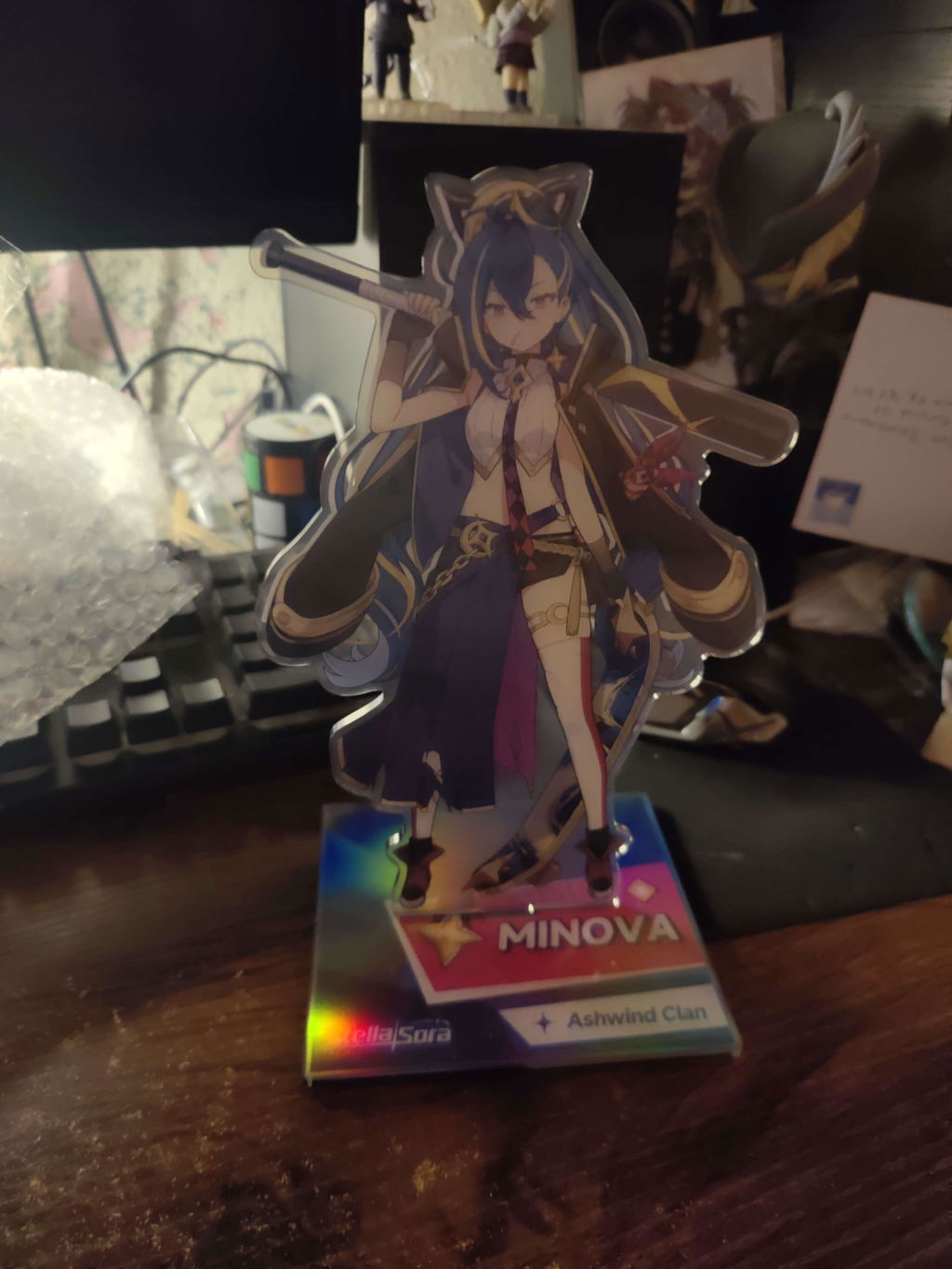
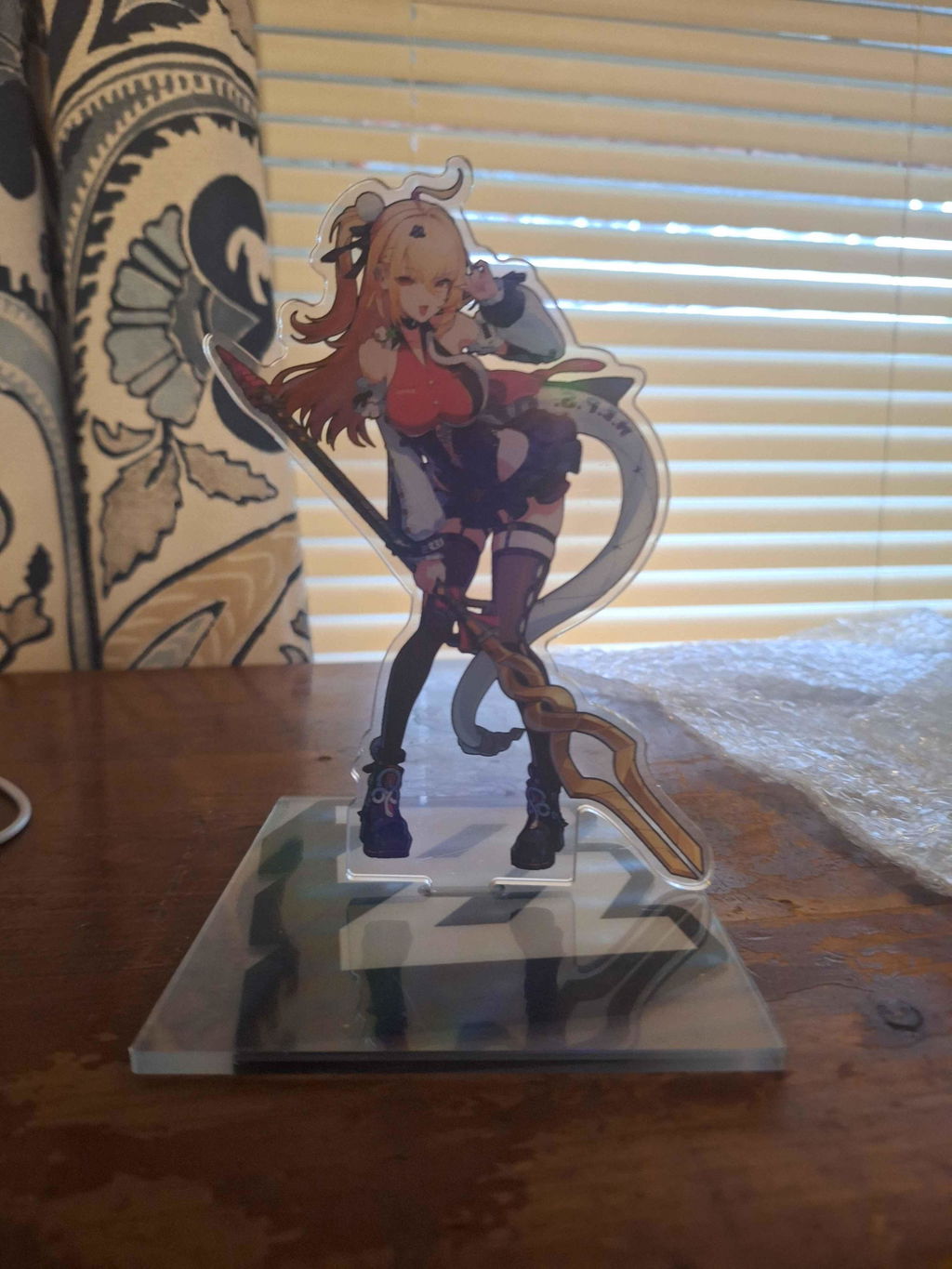
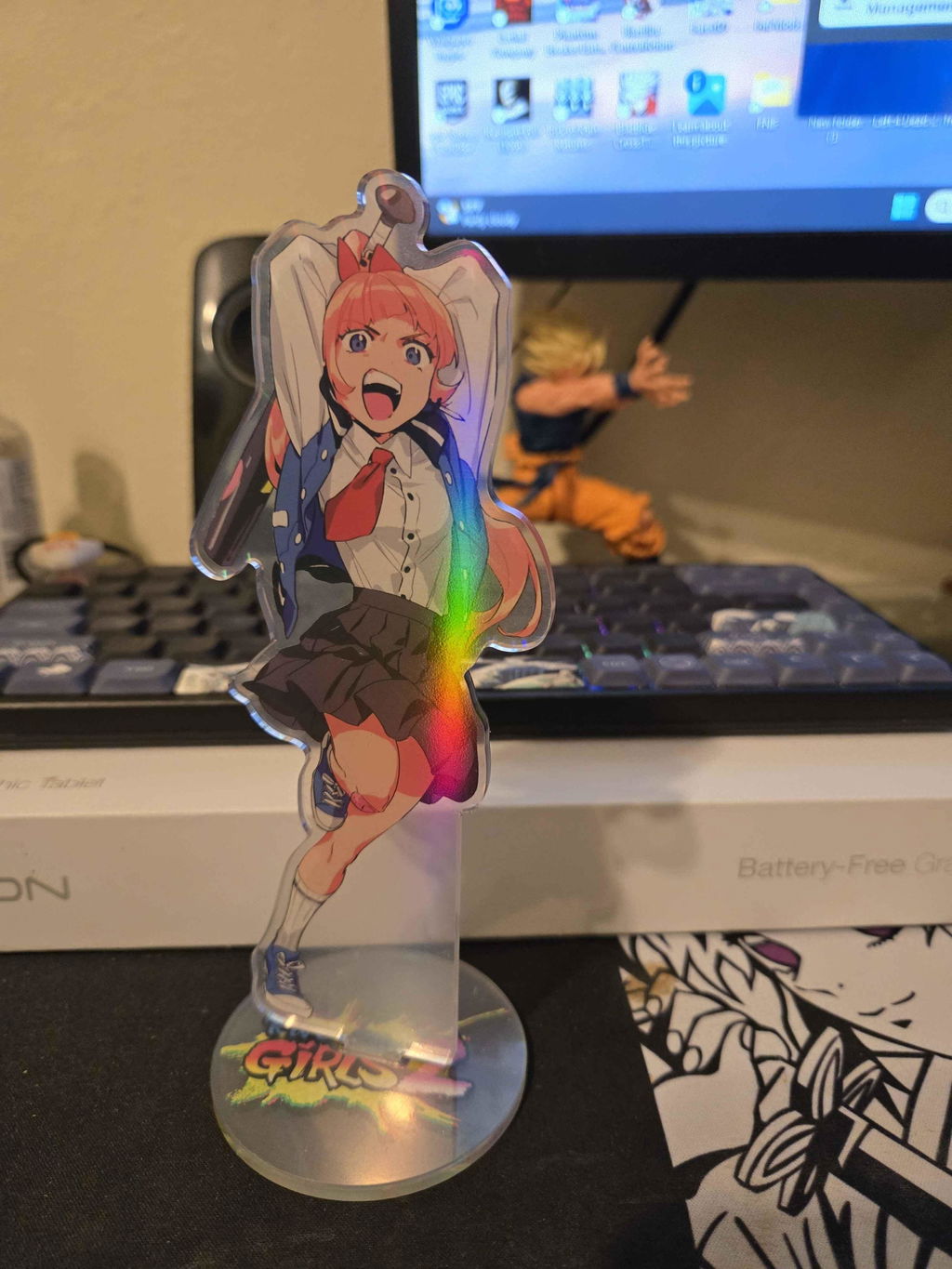
Creating custom acrylic standees starts with properly prepared artwork. This guide covers double-sided printing, sizing, borders, transparency, special finishes, and file requirements to help you prepare your designs for production at Vograce. Notes: Vograce acrylic standees (except epoxy ones) come with a protective film on the surface. Please peel off the protective film before assembly for the best appearance!
When using the same artwork on both sides, the back design will be mirrored by default.
For different front and back designs:
Upload the front and back artwork separately.
Select "Double sided different designs" when placing your order.
Make sure both designs are correctly oriented before uploading.
Important: If your artwork contains text, select different designs for each side to prevent the text from appearing mirrored on the back.
Acrylic standee size is determined by the longest edge of the finished acrylic piece, including its border—not just the printed design.
Measure the complete standee outline, including the acrylic border.
Check the available size options on the product page before ordering.
Consider how your artwork will fit with the standee base.
For standard options, see our Custom Clear Acrylic Standees.
The standard acrylic border width is 2 mm.
You do not need to create the cutting outline yourself. Simply upload your original artwork, and our design team will prepare the outline according to your design.
If you have specific cutting or border requirements, include clear instructions with your order.
White outlines may appear slightly thinner on the finished acrylic standee, particularly near the edges.
To achieve a clearer result:
Avoid extremely thin white borders.
Make white outlines slightly wider in your artwork.
Contact Vograce customer service if you need help reviewing your design before production.
White printed areas require a solid white ink backing. Therefore, white does not support semi-transparent effects.
For other semi-transparent colors, avoid extremely low CMYK values, as very light colors may appear washed out or less visible after printing.
For borderless designs, extend the background color by 0.5 mm beyond the intended cutting edge to provide bleed.
Include the required bleed area in your artwork.
You do not need to draw the cutline yourself.
Avoid placing important design details too close to the cutting edge.
For a finished appearance without transparent acrylic borders, explore our Custom Full Bleed Acrylic Standees.
If your design includes gradients or semi-transparent areas:
Place these effects on separate, clearly named layers whenever possible.
Alternatively, include "semi-transparent" in your file name and leave a note with your order.
Avoid excessively pale colors in semi-transparent areas. Slightly darker tones can help maintain visibility.
For different material appearances, you can also explore Custom Colored Acrylic Standees. Please check the specific product options before ordering.
To prepare your artwork for printing, follow these general specifications:
| Requirement | Recommendation |
|---|---|
| File formats | PSD, PNG, PDF, AI; JPG and CDR also accepted for applicable products |
| Resolution | 300 DPI recommended; at least 1,000 pixels on the longest side |
| Color mode | CMYK |
| Preferred artwork | Transparent-background PNG or layered PSD |
| Double-sided designs | Clearly separated and identified front and back artwork |
| Special effects | Separate named layers or clear order notes |
Requirements may vary for special standee types. Always check the instructions on the product page you are ordering from.
For a more detailed walkthrough, read our Step-by-Step Guide to Creating Custom Acrylic Standees.
Check the following details before submitting your artwork:
The selected size includes the acrylic border.
Front and back designs are correctly oriented.
White borders are sufficiently wide.
Transparent and gradient effects are clearly marked.
Borderless artwork includes the required bleed.
Files meet the recommended format and resolution requirements.
Any special requirements for the standee base are clearly communicated.
Once your artwork is ready, browse our full collection of Custom Acrylic Standees to select the appropriate style and customization options.
Get your artwork ready for custom printing with Vograce. Follow these file requirements, design tips, and upload instructions to help ensure accurate printing and a smooth ordering process.
Note: Requirements may vary by product, material, and printing process. Always follow the specifications on the product page or in the Product Templates & Artwork Guide.
| Requirement | Recommended Specifications |
|---|---|
| File Formats | PSD, PNG, PDF, AI; JPG and CDR are also accepted for certain products |
| Preferred Formats | Transparent PNG or layered PSD for applicable designs |
| Resolution | 300 DPI at the intended print size for most standard printed products |
| Image Dimensions | At least 1,000 pixels on the longest side for products specifying this minimum |
| Color Mode | CMYK where supported; RGB PNG files are accepted for applicable products |
| Artwork Size | Match the selected product dimensions and official template |
| Background | Transparent where required, especially for custom-shaped designs |
| Bleed & Safe Area | Follow the product-specific template; requirements vary |
| Upload Size Limit | 100 MB for online file uploads |
Important: Some products require higher resolutions, specific file formats, additional design layers, or special bleed settings. Product-specific requirements always take priority.
Before uploading your design, check the following:
Use high-resolution artwork. Avoid blurry images, screenshots, or enlarging low-resolution files.
Check dimensions and templates. Prepare your artwork at the intended print size and follow the product's layout guidelines.
Keep important details within the safe area. Avoid placing essential text, logos, or illustrations too close to cutting or trimming edges.
Organize design layers. Clearly separate front and back artwork, transparent areas, and special printing effects when required.
Label files clearly. Include design names, quantities, and relevant customization options to avoid confusion.
Review colors and text. Check spelling, orientation, and colors before submitting. Printed colors may differ slightly from on-screen previews.
For products requiring cutlines, bleed margins, or special artwork layers, download the appropriate template from our Product Templates & Artwork Guide.
Select Product Options: Choose your product's size, material, printing method, quantity, and other available customization options.
Prepare Your Files: Save your artwork in a supported format. For multiple designs, organize the files in one folder and compress them into a ZIP file.
Upload Your Artwork: Use the file upload field on the product page, where available.
Review Your Selections: Check your uploaded files, quantities, and customization details before adding the product to your cart.
Complete Your Order: Add any special instructions in your cart notes and proceed through checkout.
For eligible products, you can upload multiple designs together when they share the same size and production process.
Clearly identify each design and its quantity. For example:
CatDesign_20.png
FlowerDesign_30.png
StarDesign_50.png
You can combine the files into a ZIP folder for easier uploading.
Different product types, sizes, or customization options may require separate cart entries.
For detailed instructions, see our Multiple Design Upload Guide.
The online file upload limit is 100 MB. If your file exceeds this limit:
Add the product to your cart without uploading the file and leave a note.
Email your artwork to service@vograce.com, including your order number.
Alternatively, include a shareable Google Drive file link in your cart notes.
Make sure your files are accessible and clearly labeled so our team can identify the correct artwork.
After your order is placed, Vograce may contact you if your artwork needs clarification or adjustments.
For eligible orders or designs requiring confirmation, our team will send a digital artwork proof by email.
Before approving your proof, please check:
Artwork layout, orientation, and placement
Spelling, colors, and design details
Cutlines, borders, and special printing requirements, where applicable
Proof availability varies by product and order requirements. If you would like to request proof confirmation, please mention it in your order notes.
For orders requiring approval, production begins after the artwork proof has been confirmed.
Learn more about Proof Confirmation & Production Time.
Not sure which file format or template to use? Visit our How to Order Guide or contact service@vograce.com with your product details and artwork questions.
Our team can help clarify the file requirements before production.
At Vograce, we want your custom merchandise to turn out just as you envisioned. For eligible orders, our team prepares digital artwork proofs for your review before production.
Here's how proof confirmation works, when to expect your artwork preview, and how production time is calculated.
For eligible orders of more than 5 pieces, including products such as custom keychains, button pins, standees, stickers, and pillows, Vograce generally sends digital proofs by email within 2–5 working days.
Once you receive your proof, please check the artwork and confirm that everything looks correct before production begins.
Ordering 5 pieces or fewer? If you'd like to review a proof, please leave a note requesting proof confirmation when placing your order.
Proof requirements may vary depending on the product and customization details.
When your proof arrives, carefully review the details relevant to your design, including:
Artwork & Layout: Check the design, orientation, and placement.
Cutlines & Borders: Review the cutting outline and borders, if applicable.
Text & Colors: Check spelling, artwork details, and color arrangements.
Special Requirements: Verify any requested customization details shown in the proof.
If anything needs adjustment, reply to the proof email with clear instructions before approving it.
Important: For orders requiring proof confirmation, production will begin only after you approve the artwork.
We recommend checking your email regularly after placing an order to avoid unnecessary delays.
Proof confirmation time is not included in the estimated production time.
For orders requiring approval, the production timeline begins after your artwork proof has been confirmed.
The overall order timeline may include:
Artwork Review & Proof Preparation: Your design is reviewed, and a proof is prepared when required.
Proof Confirmation: You review and approve the artwork or request adjustments.
Production: Your customized products are manufactured according to the approved design.
Shipping & Delivery: Your completed order is dispatched using the selected shipping method.
Production times vary by product type, quantity, and customization requirements.
For product-specific estimates, use our Shipping, Production Time & Cost Calculator.
If your order contains different product types, the estimated shipping date is based on the item with the longest production time.
For example, if you order custom stickers and acrylic keychains together, the overall production schedule will depend on whichever product takes longer to manufacture.
Please also note that international shipping time is calculated separately from production time.
For available shipping methods and estimated transit times, visit our Shipping Policy.
If you have questions about artwork confirmation, production schedules, or a time-sensitive order, please contact our support team.
Email: service@vograce.com
You can also explore our How to Order Guide for a complete overview of the customization and ordering process.
New to Vograce? Ordering custom merchandise is simple. Follow these five steps to choose your products, upload your artwork, and bring your designs to life. For more detailed instructions, check out our first-time ordering guide.
Explore Vograce's custom merchandise collection or use the search bar to find what you're looking for. Choose from keychains, stickers, pins, standees, prints, and more.
Select your preferred size, material, printing options, accessories, and quantity. Upload your artwork, review your selections, and add the product to your cart.
Ordering several designs together? Check our Multiple Design Upload Guide for a quick tutorial.
Review your shopping cart, enter your contact information and shipping address, choose an available shipping method, and complete payment.
For shipping options and estimated delivery times, see our Shipping Policy.
For eligible orders or when proof confirmation is required, our team will prepare a digital proof and send it to your email. Carefully check the design details and confirm the proof before production.
Learn more about Proof Confirmation & Production Time.
Once your order is ready for production, Vograce will manufacture your custom products and ship them using your selected delivery method.
You'll receive shipping and tracking information when your order is dispatched.
Need more help? Visit our Help & Advice Center for additional ordering guides and support.
📦 Bulk Order & Enterprise Solutions
Looking to purchase in volume for your business? We offer flexible, high-quality supply chain solutions with premium quality guaranteed.
Free Sample Confirmation:
Apply for a free sample to test and confirm our premium quality firsthand before placing your bulk order.
* Premium Quality Guaranteed:
100% rigorous inspection before shipment with an ultra-low defect rate.
* OEM/ODM Customization:
Custom branding, custom specs, and tailored packaging fully supported.
* Fast Lead Time:
Reliable production & global logistics with 1-on-1 dedicated support.
Type in the size of the product and add it to the shopping cart to see the actual price
We recommend waiting for the page to load before entering the custom requirement to add to the shopping cart because the software loading speed problems are caused by price errors we will contact you to modify the order
If the length and width of the base are the same, it will be made into a circle by default If you want other shapes, make notes in the lower left "order note" of the shopping cart page.

| Product name | Acrylic Standee |
| Material | Eco-friendly transparent acrylic |
| MOQ | 1 pc |
| Technique | Double side printing, epoxy, Holographic |
| Can be customized | Shape, size, design on the Standee |
| Usage | Gift, promotion, advertising and so on |
| File requirements | Please Upload PSD/PNG/PDF/AI/JPG/CDR file. Please providing CMYK colour. Need 300 resolution, 1000 pixels or more |
| Notice | If you have ordered more than 5 standees or have special requirements, we will offer you with proof/cutlines for confirm |


 Acrylic standees are clear, colorful, cheap, durable and easy to shape. MOQ: 3 piece. The shape, size and design are customizable. Acrylic standees can be decorations, anime toys and gifts. The color and image don’t fall off.