How to Order from Vograce for the First Time
You have a design you want to turn into a keychain, sticker, pin, or other custom product. But which options should you choose, how do you upload the artwork, and what happens after you pay? This guide follows your first Vograce order from product selection to delivery, including the details that can save you from re-uploading files or delaying production.
The short version: Choose a product → set its specifications → upload artwork → review your cart → pay → approve a digital proof if required → wait for production and shipping. Not every order needs a proof, so keep an eye on your email after checkout.
Before You Start: Have These Four Things Ready
· Your artwork, or at least a clear idea of the design you want printed.
· The product type, approximate size, and quantity you need for each design.
· A working email address and complete shipping address.
· A realistic delivery deadline, including time for artwork review, production, and international transit.
If you are unsure about materials or finishes, explore a small order first. Many products support a one-piece minimum, but the minimum quantity depends on the specific listing.
Step 1: Find the Product That Fits Your Design
Start on Vograce and search for the item you want, or browse the custom keychains, custom stickers, and custom standees collections. Choose the product page that matches the material and finish you have in mind—not simply the first listing with a similar photo.
Before customizing, check the product description, examples, minimum order quantity (MOQ), file requirements, and available options. Some products let you order a single piece; others have different minimums or production requirements. You can also review sample products before committing to a larger run.

Step 2: Choose Size, Printing, Accessories, and Quantity
On the product page, work through the available choices. Depending on the item, these may include material, size, single- or double-sided printing, surface finish, accessory, backing, packaging, and quantity. The options differ by product, so only select what is shown on that page.
· Size: Read the product’s measurement rules. For acrylic charms, the finished size may include the border and attachment hole, not just the printed illustration.

· Printing: If the front and back need different artwork—or the back contains readable text—choose the appropriate double-sided option and prepare both sides clearly.


· Accessories: Check the keychain clasp, pin backing, standee base, or other accessory before adding the item.

· Quantity and price: Enter the quantity you actually want and check the unit price or discount tiers shown for that configuration.

For example, if I want 20 acrylic charms with the same size and clasp, I can prepare those designs as one compatible group. If I also want a larger charm or a different printing option, I should configure it as a separate cart item.
Step 3: Prepare Your Artwork and Upload the Correct Files
Open the product’s artwork instructions before exporting. Vograce provides a Product Templates & Artwork Guide for products that need specific layouts. For many printed items, high-resolution artwork around 300 DPI is recommended; common accepted formats include PNG, PSD, PDF, AI, and JPG, although the exact requirements depend on the product. A transparent PNG or layered PSD is often useful for die-cut acrylic items.
· Keep important details and text inside the template’s safe area. Do not flatten or remove required cutting, white-ink, or specialty-effect layers if the product asks for them.
· Label front and back artwork separately where different-sided printing is selected. Separate translucent or special-print areas into named layers when required.
· Check spelling, orientation, color mode, and design dimensions. Screen colors and printed colors can differ, so a sample is worth considering for color-critical work.
For simple acrylic shapes, Vograce may prepare the cutline or hole placement, but you should still state a nonstandard hole position in your files or order note. Upload the complete set of files for that item before adding it to the cart.
What If I Have Several Different Designs?
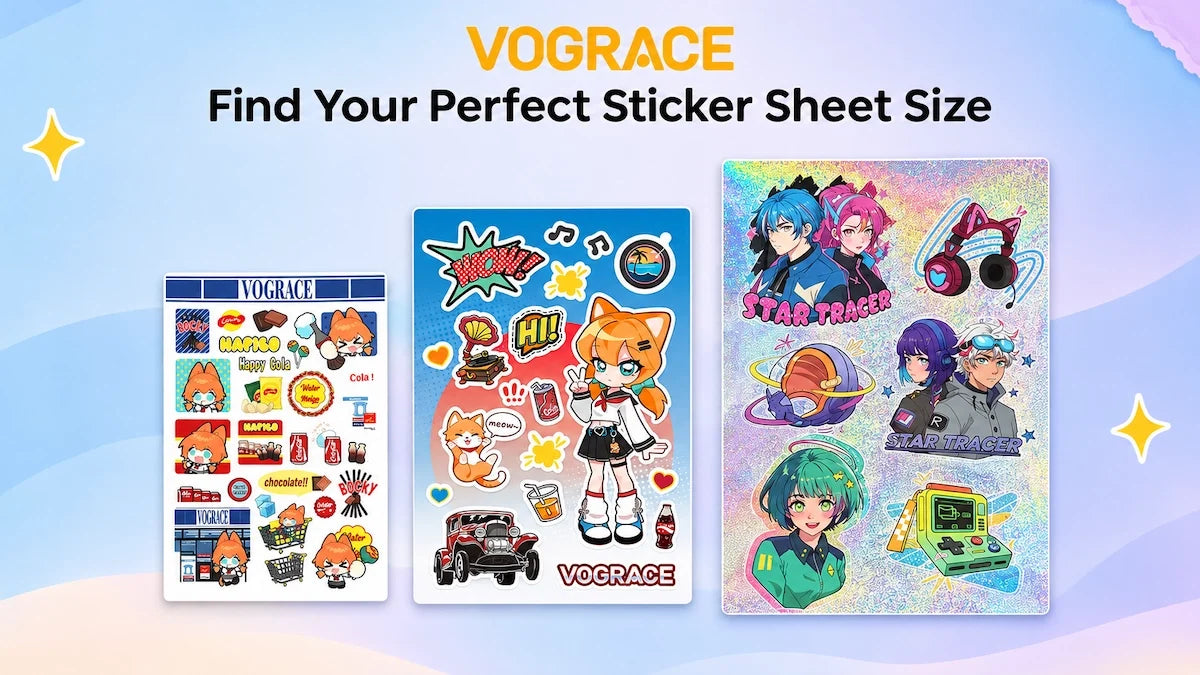
If the designs use the same size and production process, eligible products allow you to upload several artworks together. Give each file an unmistakable name—for example, “Moon_Cat_10pcs.png” and “Star_Fox_10pcs.png”—and make the quantity for each design clear. For some products, packaging the artwork into a ZIP file is convenient. Follow the multiple-design upload guide for the correct workflow.
If the designs require different sizes, materials, finishes, or accessories, add them as separate configurations in the same cart. Do not assume every design variation qualifies for the same price tier.
What If My File Is Too Large to Upload?
Vograce’s FAQ lists a 100 MB upload limit. If your file exceeds it, you can place the order with a clear note and send the artwork to service@vograce.com with your order number, or include an accessible cloud-file link in your cart note. Make sure the link permissions allow the team to view or download the file. Do not leave artwork unidentified.
Step 4: Check Your Cart, Discounts, and Order Notes
Click Add to Cart, then continue shopping if you need more items. Before checkout, look at each line item as though you were checking a production brief: is the right product there, with the right size, finish, accessory, quantity, and artwork? Update quantities or remove items if needed.
For eligible products, quantity discounts are reflected in the displayed pricing or cart. If you have a valid coupon, look for the discount-code field in the cart or at checkout; its location may vary by cart layout. Always confirm that the final discount is applied before paying.
Use the order-note field for concise instructions that are not covered by the selectors: a specific hole location, a required proof request for a small order, an important deadline, or a link to large artwork files. A note is not a substitute for selecting the correct paid option, and a deadline in the note does not guarantee delivery by that date.

Step 5: Enter Shipping Details and Complete Payment
At checkout, enter an email address you actively monitor, your full recipient name, phone number if requested, and a complete delivery address. This email matters: Vograce may use it to request artwork corrections or send a proof before manufacturing can begin.
Check the available shipping services and their charges after entering your destination. Options vary by country, parcel weight, and product; not every shipping method appears for every order. “Delivered Duty Paid” or a qualifying tariff-free service has specific conditions, so verify the wording for your selected option rather than assuming all deliveries include duties. The Shipping Policy explains these differences.
Vograce supports major credit cards and PayPal, with other payment methods such as Apple Pay, Google Pay, or Klarna depending on the checkout and region. Review the final amount, shipping fee, address, and selected payment method, then place the order. Save your order number and confirmation email. If payment succeeds but you receive no confirmation, contact support before submitting a duplicate order.


Step 6: Check Your Email for Artwork Proof Approval
Payment does not always mean production starts immediately. For eligible orders of more than five pieces—such as keychains, stickers, button pins, standees, and pillows—Vograce generally emails a digital proof within 2–5 working days. Other products and special requests may follow different proof rules. If your order is five pieces or fewer and you want a proof, request confirmation in your order note.
When the proof arrives, compare it against your order: artwork, front/back orientation, spelling, outlines, white borders, holes, and special effects. If something is wrong, reply to the proof email with specific corrections before approving it. For orders requiring approval, production begins only after your confirmation; changes after approval may not be possible or may involve extra costs. See Proof Confirmation & Production Time for the full process.
Step 7: Follow Production, Shipping, and Tracking
Once any required proof is approved, your order moves into production. Many Vograce products take roughly 7–15 business days to manufacture, but the product, quantity, and technique determine the actual estimate. That range excludes proof preparation/approval and international transit.
Think of the full timeline as artwork review and approval + production + shipping. If you order stickers and keychains together, the estimated dispatch of the combined order is based on the product with the longest manufacturing time. Before you choose a delivery deadline, check the Shipping, Production Time & Cost Calculator and the more detailed production-time guide.
You can check order progress through your Vograce account. Status messages may indicate artwork processing, waiting for proof approval, production, or shipment. Once the parcel is dispatched, use the tracking details provided to follow the delivery. If the timeline is unusually tight, contact support before placing the order rather than relying only on a faster carrier.
Step 8: Check Your Products When They Arrive
Compare the delivered goods with your order: correct items, quantities, printing, accessories, and condition. Some acrylic charms arrive with a protective film, so check the product instructions before judging the surface finish.
If something is missing, damaged, or manufactured incorrectly, take clear photos and contact Vograce support with your order number and a description of the issue. Vograce publishes a 60-day after-sales service guarantee for qualifying problems, but report obvious arrival issues promptly. Custom products are not generally returnable simply because a correctly manufactured result differs from your personal expectation; do not ship anything back unless support instructs you to do so.
First-Order Questions: Quick Answers
Can I Place a Small Test Order?
Yes. Many custom products have a one-piece MOQ, making a small trial order possible. Check the minimum on the specific page, and consider a physical sample when color, finish, or texture is critical.
Can I Order Different Products in One Checkout?
Yes. Add each product configuration separately, then check out together. The combined production schedule can depend on the slowest item.
What If I Need to Change or Cancel the Order?
Contact support immediately with the order number. Changes and cancellations are generally possible before production starts, but options become limited after proof approval or production. See the after-sales and order-change guidance before assuming an order can be edited.
What If I Cannot See the Shipping Option I Want?
The method may not be available for your destination, product, or parcel weight. Check the Shipping Policy and ask customer service if no suitable service appears.
What If My Payment Fails or My Order Confirmation Is Missing?
Check whether your bank or payment provider declined the transaction. If you were charged twice, or payment appears successful without an order notification, email service@vograce.com with the payment details rather than placing the same order again.
Your First-Order Checklist
· I chose the correct product page, options, and minimum order quantity.
· I uploaded every design and labeled quantities, sides, and special effects.
· I checked the cart, discount, delivery address, and payment total.
· I understand whether I need to approve an artwork proof.
· I checked total lead time, not just shipping time, and kept my order number.
Ready to begin? Browse Vograce custom merchandise and start with the product that best suits your artwork. For a question about a particular file, technique, or order, the Vograce FAQ is a useful next stop.